How To Add Calorie Tracking To Your App
Users log food in three ways. They type a sentence, they scan a barcode, or they take a photo. Support all three and the logging habit survives; support only a search box and it does not. This guide covers the calls behind each path, how to handle the food that does not resolve, and how to set the target everything is measured against.
On this page
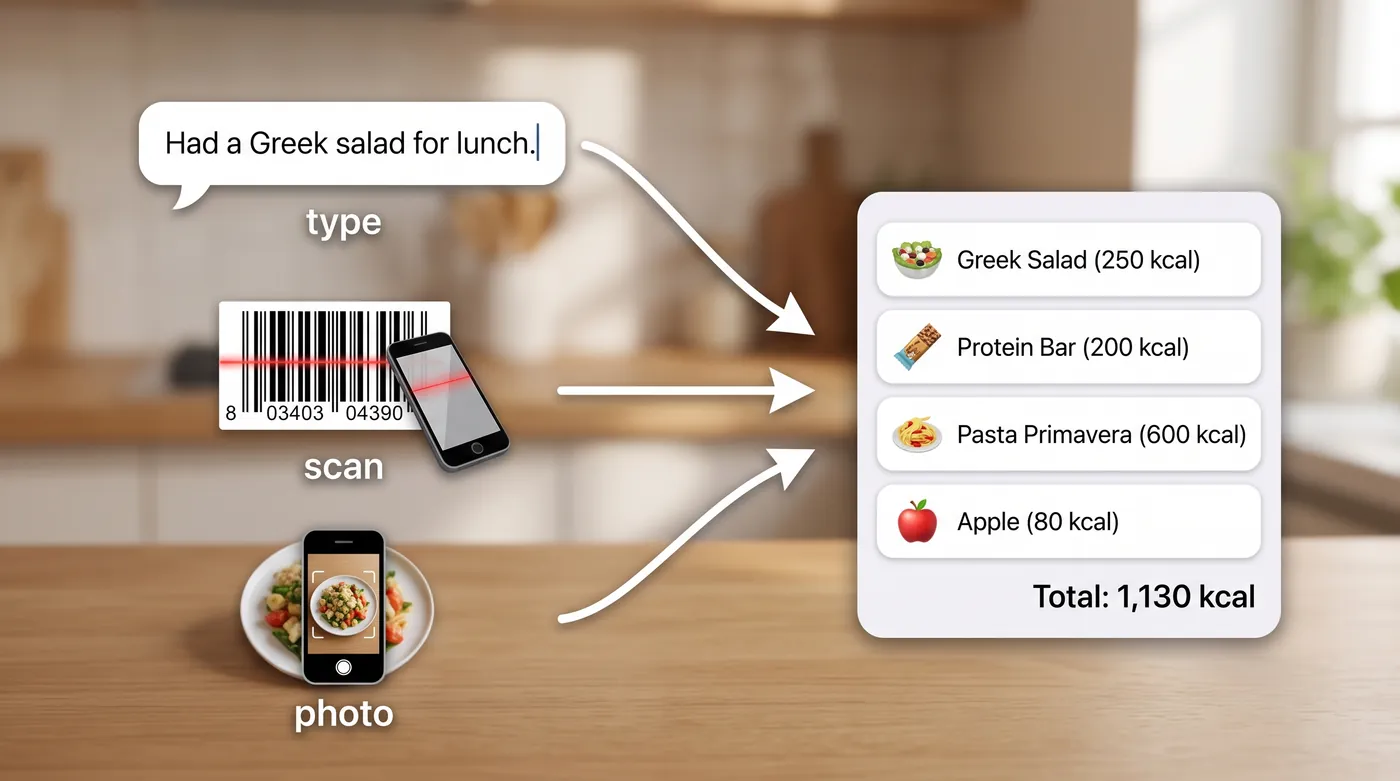
Why people stop logging
Food logging fails on friction, not on features. The pattern is consistent across every tracker ever shipped.
A user eats a burrito. They open the app, tap a plus, choose a meal, search for burrito, scroll past forty branded results, pick one, adjust the portion, save. Forty seconds for one item. Tomorrow they do not bother.
So the design target is not accuracy first. It is one entry in under ten seconds, with accuracy good enough that the number is honest. The order matters.
Path 1, they type it
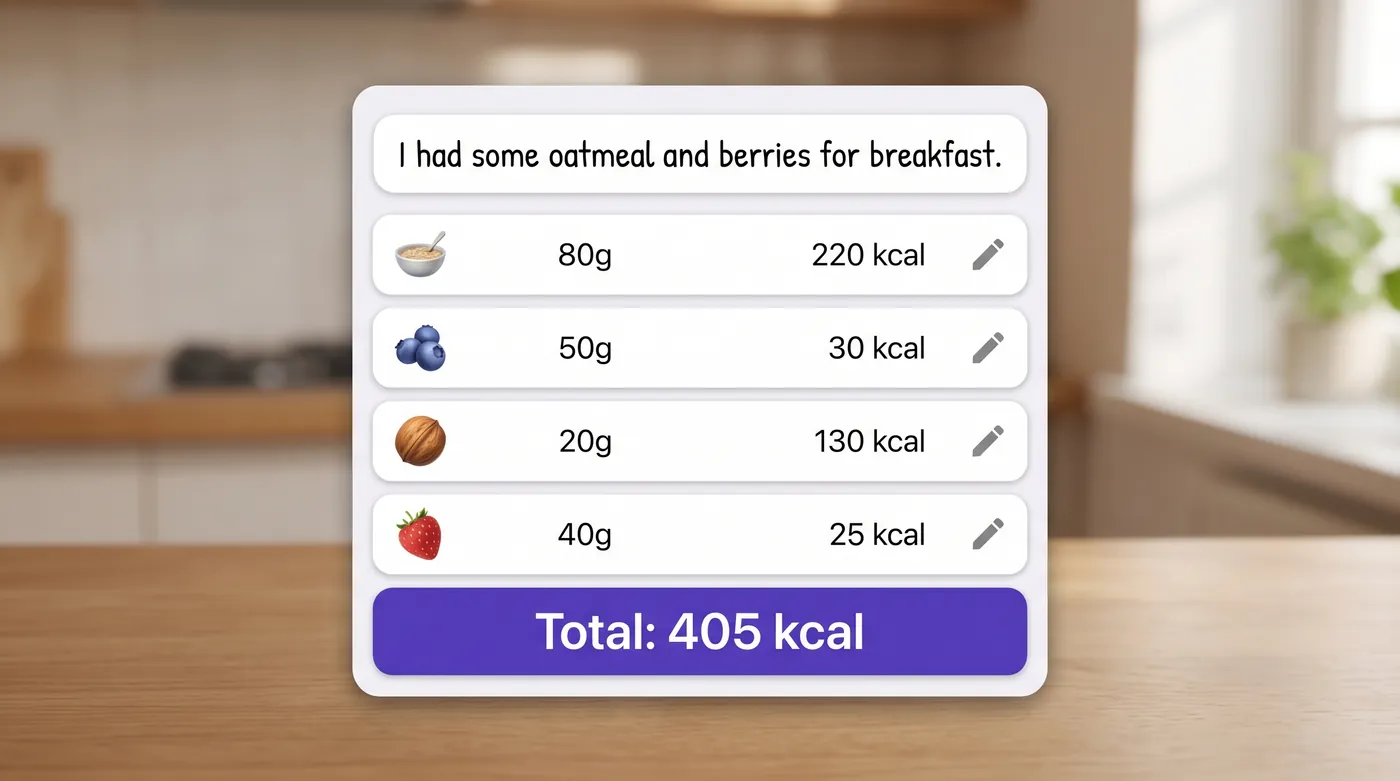
One field, one sentence, whatever the user actually ate. No pickers, no portion dialog.
curl -X POST https://api.foodashi.com/api/nutrition/log \
  -H "X-Api-Key: $FOODASHI_KEY" \
  -H "Content-Type: application/json" \
  -d '{"text": "two scrambled eggs, a slice of sourdough with butter and a large latte"}'
The response holds the parsed items, a total for the entry, a count, anything it could not resolve, and a confidence value. That shape is what you build the interface around.
{
  "input": "two scrambled eggs, a slice of sourdough with butter and a large latte",
  "items": [
    { "name": "scrambled eggs", "quantity": 2, "grams": 122, "calories": 182 },
    { "name": "sourdough bread", "quantity": 1, "grams": 52, "calories": 141 },
    { "name": "butter", "grams": 10, "calories": 72 },
    { "name": "latte", "grams": 340, "calories": 190 }
  ],
  "total": { "calories": 585, "protein_g": 26, "fat_g": 30, "carbs_g": 48 },
  "item_count": 4,
  "unresolved": [],
  "confidence": 0.86
}
Two implementation notes that matter more than they look.
Store the resolved items, not just the sentence. If you keep only the text, every historical day re-resolves differently as data improves, and your users' totals move under them.
Show the items back for a one tap confirm. People will correct a portion, and letting them do it inline is what makes the number theirs rather than yours.
Path 2, they scan it
Packaged food is where barcodes win, because the label is the truth for that specific product.
GET https://api.foodashi.com/api/barcode/5000112637922Wire it to the camera and treat a miss as normal rather than as an error. Barcode coverage is never complete in any database, so the fallback matters: drop the user into the text field with the product name prefilled if you have it, and let them finish in a tap.
Path 3, they photograph it
Restaurant meals are the case where users cannot list ingredients, because they did not cook it.
POST /api/recognize/image        // identify the dish from a photo
POST /api/recognize/ingredients  // identify visible ingredients from a photo
Use the dish endpoint for plated food and the ingredients endpoint when a user photographs what is in their fridge, which is a different feature with a different screen. We cover the whole flow, including how to chain recognition into a nutrition lookup, in food image recognition for apps.
One rule for photo logging: always show the identification before the number. A user who sees the app guess wrong and cannot correct it will not trust the calorie figure that follows.
The unresolved item problem
Every logging system meets food it cannot place. A regional dish, a brand nobody has indexed, a made up name for last night's leftovers.
There are three ways to handle it and only one of them is acceptable.
| Approach | What the user sees | Verdict |
|---|---|---|
| Drop it silently | A day that under reports, with no clue why | Never. This is how trackers lie. |
| Guess something close | A confident number for the wrong food | Worse, because it cannot be corrected. |
| Return it as unresolved | Three items logged, one needing a tap | Correct. Honest and fixable. |
The log endpoint returns an unresolved array for exactly this, along with a confidence value for the entry as a whole. Surface both. A quiet badge on entries below, say, 0.7 confidence is enough, and it buys you credibility when a number looks odd.
For the fix path, autocomplete beats search.
GET /api/ingredients/autocomplete?q=kangk
GET /api/ingredients/search?q=kangkong
Targets and daily values
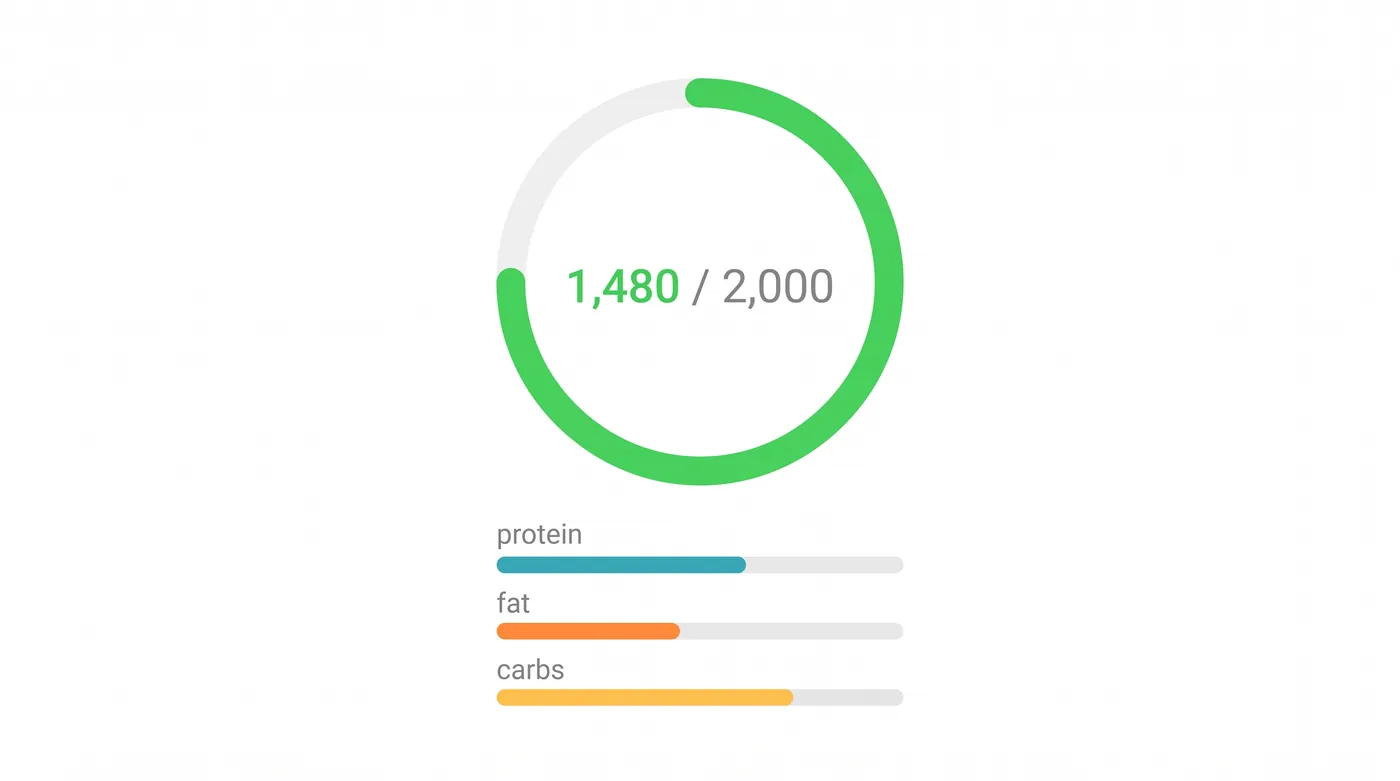
A tracker without a target is a spreadsheet. Two calls give you both halves.
POST /api/nutrition/daily-needs
{ "age": 29, "weight_lb": 154, "height_in": 66, "sex": "female",
  "activity_level": "light", "goal": "maintain" }

GET /api/nutrition/daily-values
The first returns a personal target with a macro split. The second returns the reference values that let you show a percentage next to sodium, fibre, saturated fat and the rest, which is what users recognise from a packet.
Recalculate the target when weight changes, and store which target applied to each day. Otherwise a user who loses ten pounds sees their entire history quietly rescored.
Logging a whole recipe
Home cooks want to log dinner, not eleven ingredients. Two routes depending on where the recipe came from.
For a recipe in the catalogue, fetch its nutrition and log one serving.
GET /api/recipes/{id}/nutrition
GET /api/recipes/{id}/scale?servings=3
For the user's own recipe, send the ingredient list and get per serving figures back. This one is deterministic, so the same list always produces the same numbers.
POST /api/nutrition/calculate
{
  "title": "Sunday chili",
  "servings": 6,
  "ingredients": [
    "2 lb ground beef",
    "1 can (15 oz) kidney beans, drained",
    "1 large onion, diced",
    "2 tbsp tomato paste",
    "1 tbsp chili powder"
  ]
}
The response carries per serving, per 100 g and total figures, a coverage value telling you how much of the list was matched, and a NutriMetric grade if you want a single letter to show in the interface. Coverage is the field to watch: a list that matched eight of eleven ingredients should not be presented as exact.
When you need a label
If your product serves food businesses, meal kits or packaged goods, you will eventually need a panel rather than a ring.
POST /api/nutrition/label
{
  "nutrition_per_serving": { "calories": 410, "protein_g": 22, "total_fat_g": 18,
    "total_carbohydrate_g": 39, "sodium_mg": 640, "dietary_fiber_g": 6, "total_sugars_g": 8 },
  "serving_size": "1 bowl (340 g)",
  "servings_per_container": 2,
  "format": "fda"
}
The label takes its own nutrient keys (calories, total_fat_g, sodium_mg and so on), not the recipe names such as energy_kcal, so map them when you build the request: a key the label does not know is left empty on the panel. format is fda for a US Nutrition Facts panel or eu for an EU 1169/2011 declaration.
Formats differ by market, so pick the one your customer's label needs. A generated panel is a starting point for design and costing, not a compliance document, which is a line worth putting in your own product copy too.
Shipping checklist
| Before launch | Why it matters |
|---|---|
| Text logging under ten seconds end to end | The retention number that decides everything else |
| Resolved items stored, not raw text | History must not move under the user |
| Unresolved items visible and fixable | A silent omission is a lie with a nice chart |
| Barcode miss falls back to text | No database has every product |
| Photo identification confirmable before the number | Trust is lost at the guess, not at the calorie |
| Target stored per day | Weight changes should not rewrite the past |
| Imperial and metric both tested | Ounces and grams, cups and millilitres |
| A clear line that figures are estimates | Honest, and it protects you |
Questions developers ask
How do you add calorie tracking to an app?
Three logging paths into one diary: a natural language endpoint for typed entries, a barcode endpoint for packaged food, and an image endpoint for plated meals. Store resolved items, show unresolved ones, and measure everything against a stored daily target.
Is free text logging accurate enough?
For everyday tracking, yes, provided you show the parsed items and let the user correct a portion. The accuracy that matters is the accuracy after the user's one tap edit, not before it.
Do I need my own food database as a fallback?
Not at the start. A search plus autocomplete path covers the misses, and a user typed correction is cheaper to build than a database you then have to maintain.
How do I handle restaurant meals?
Photo recognition for the dish, then a nutrition lookup for the identified dish, with an obvious way to adjust portion size. Nobody knows the oil in a restaurant kitchen, so present restaurant entries as estimates and move on.
What about users tracking macros rather than calories?
The same calls return protein, fat and carbohydrate, and the daily needs endpoint returns a macro split alongside the calorie target. Let the user choose which of the four they see on the main screen.
Where to go next
The API documentation has the full field list for the logging, barcode and nutrition endpoints, and the Test Kitchen runs them in the browser. If you are building planning as well as logging, read how to build a meal planning app. For users with allergies or a specific diet, read how to filter recipes for diets and allergies.
