How To Filter Recipes For Diets And Allergies
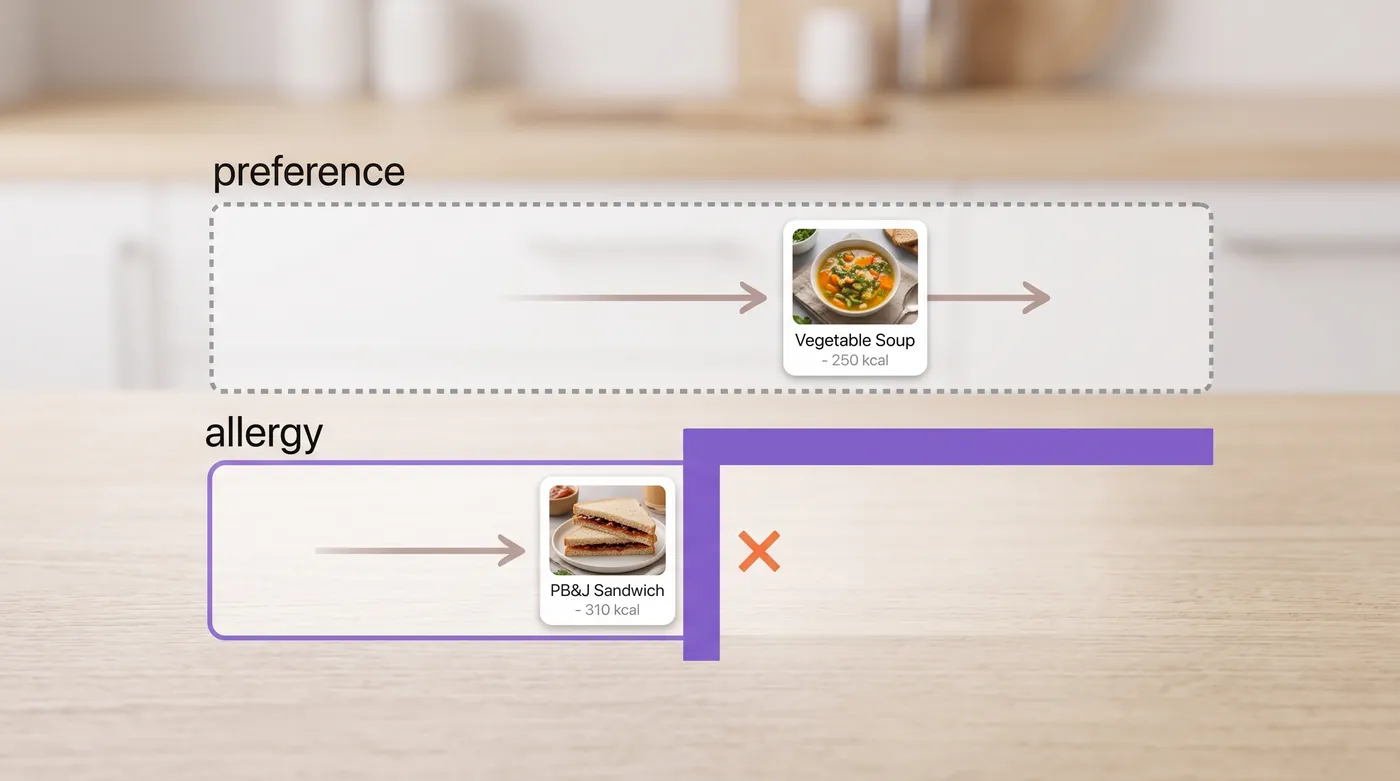
A diet is a preference. An allergy is a boundary. They arrive in the same screen and they must behave differently: a diet filter can be relaxed to fill a page, an allergy filter never can. Both run on one query, and this guide shows the patterns, the per recipe verification step, and what to do when a user is one ingredient away from the dish they wanted.
On this page
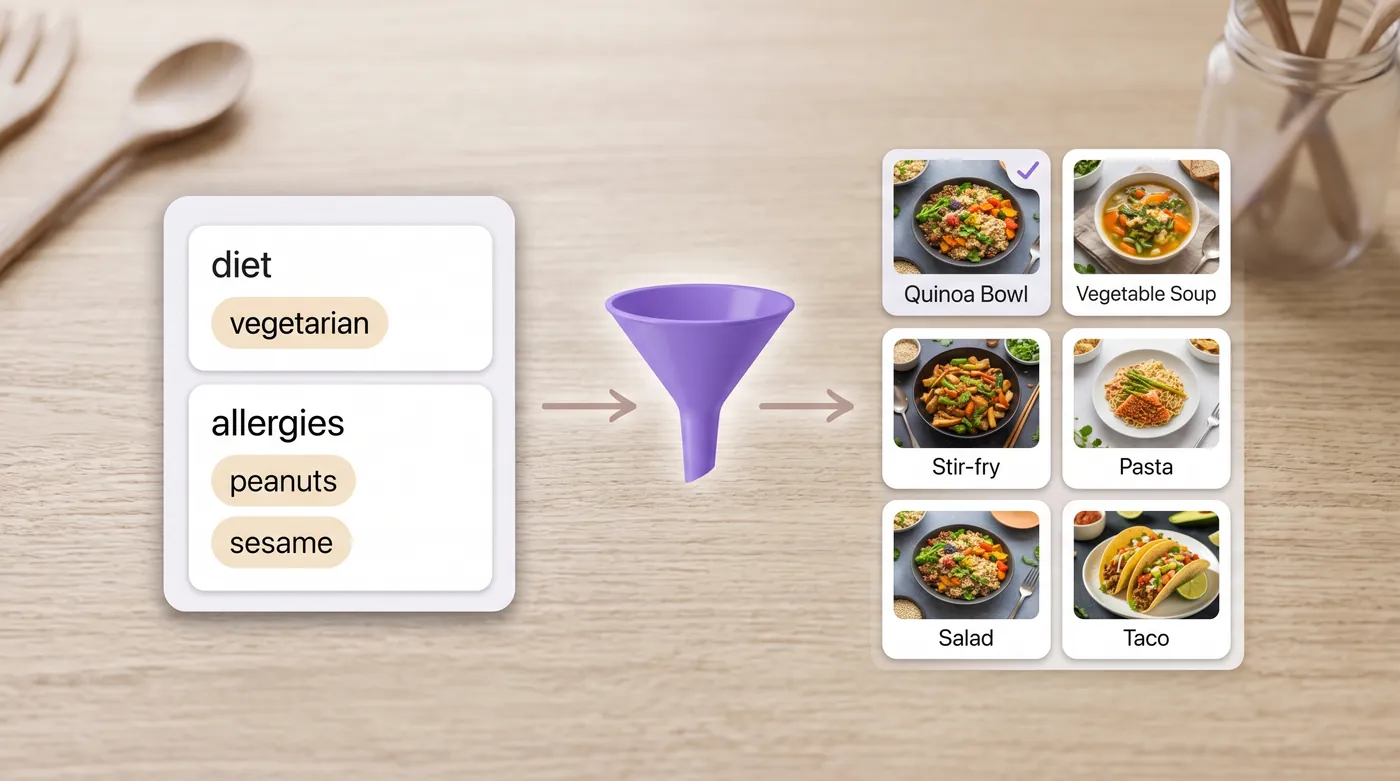
Two constraints that look like one
In the interface they sit side by side as checkboxes. In your code they should never share a path.
| Diet | Allergy | |
|---|---|---|
| Nature | A choice | A medical boundary |
| Can it be relaxed to fill a page? | Yes, with a visible note | Never |
| Can it be a ranking signal? | Yes | No, it is a hard exclusion |
| Failure cost | An annoyed user | A harmed user and a lost business |
| Where it belongs in your schema | preferences | restrictions, separate column |
If you take one thing from this article, take that last row. Merging the two lists is the bug that eventually puts fish sauce in front of a vegetarian or sesame in front of somebody who reacts to it.
Step 1, build the profile from the API's own lists
Do not hard code a list of diets or allergens in your front end. It will drift, and the day it drifts your filter starts silently doing nothing.
GET https://api.foodashi.com/api/allergens
GET https://api.foodashi.com/api/diets
Fetch both at build time or cache them for a day, then render the checkboxes from the response. Now a new dietary tag appears in your app without a deploy, and the value you send always matches what the filter expects.
On coverage, briefly, because developers ask. Allergen declarations use the full European list of fourteen, which is the most complete of the major regulatory lists and already contains the nine that United States labelling requires. You filter once and it works in either market.
Step 2, one query does the work
The filter endpoint takes both constraints plus everything else a results page needs.
GET /api/recipes/filter
  ?diet=Vegetarian
  &exclude_allergens=Peanuts,Tree%20Nuts,Sesame
  &max_time_minutes=30
  &min_protein_g=20
  &max_sodium_mg=800
  &nutrimetric_min_grade=B
  &sort=nutrimetric
  &has_image=true
  &limit=24
In JavaScript, with the profile driving it:
const params = new URLSearchParams({
  diet: profile.diets.join(','),                    // preferences
  exclude_allergens: profile.allergies.join(','),   // boundaries
  max_time_minutes: '30',
  sort: 'nutrimetric',
  has_image: 'true',
  limit: '24'
});

const res = await fetch(`https://api.foodashi.com/api/recipes/filter?${params}`, {
  headers: { 'X-Api-Key': process.env.FOODASHI_KEY }
});
const { recipes, pagination } = await res.json();
A few parameters that earn their place on a real screen. exclude_diets is useful when a user wants to avoid a style of cooking rather than follow one. nutrimetric_min_grade gives you a quality floor in one letter. And the nutrient ranges are how you build screens like high protein under thirty minutes without inventing your own scoring.
Step 3, verify the recipe you are about to show
Filtering is a list operation. Before a user commits to cooking something, show them the declaration for that specific recipe.
GET /api/recipes/{id}/allergensYou get the declared allergens, the ingredient line behind each one, any warnings, and a declaration string you can render directly. That per allergen source is the field that turns a filter into something a cautious user trusts, because it answers the obvious question: which ingredient?
{
  "id": "…",
  "title": "…",
  "allergens": ["Gluten", "Soy"],
  "allergen_sources": {
    "Gluten": ["soy sauce"],
    "Soy": ["soy sauce", "firm tofu"]
  },
  "allergen_warnings": []
}
Put it on the recipe page above the ingredient list, not buried at the bottom. Users with allergies look for it first, and if they cannot find it they leave.
Step 4, one ingredient away
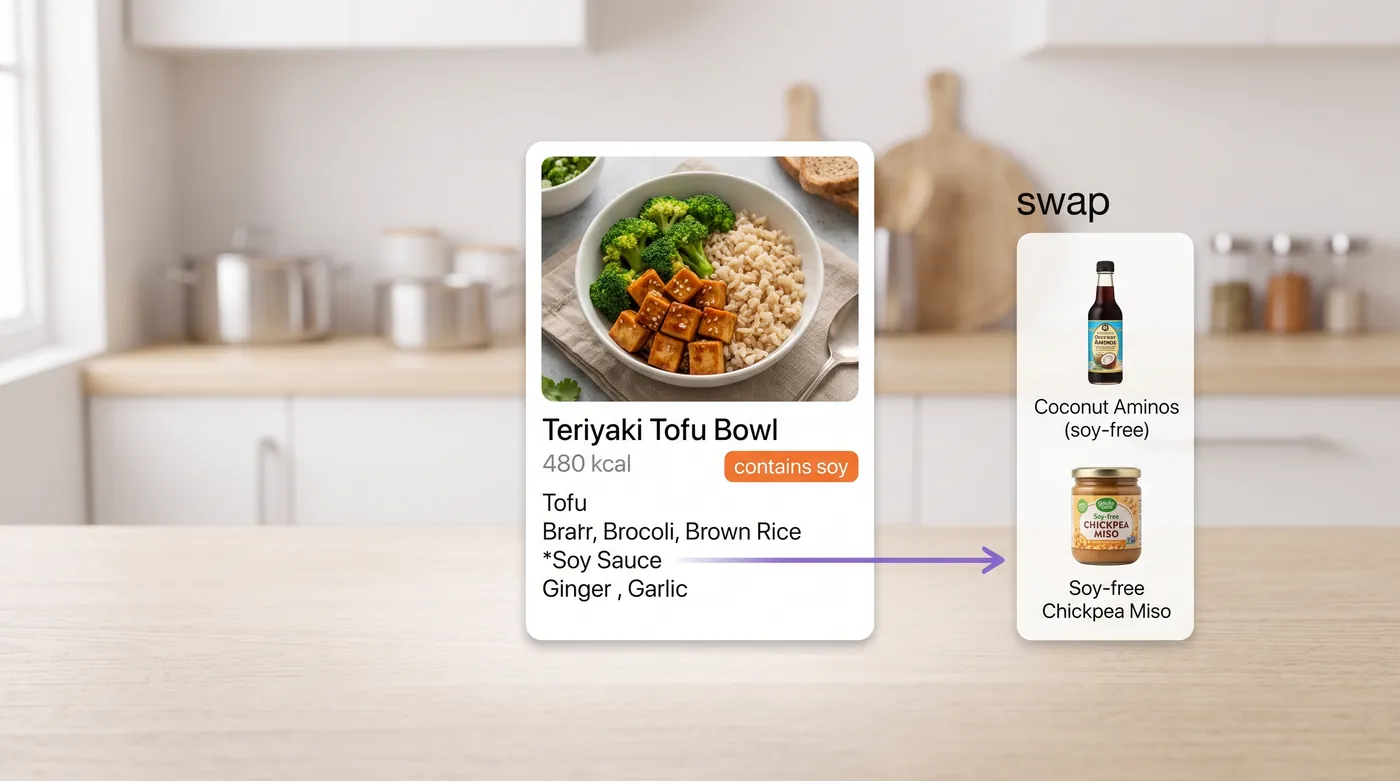
The best moment in a food app is when it says: you cannot eat this as written, but change one thing and you can.
GET /api/ingredient-substitute?ingredient=soy%20sauceThe response carries substitutes, the category, and a note about how the swap behaves in cooking, which matters because a substitution that ruins the dish is not a kindness.
Two rules for this feature. Suggest, never auto apply, because the user owns that decision. And keep the original declaration on screen after the suggestion, so nobody believes the dish has been made safe by a button.
The empty result, handled honestly
Vegan, no soy, no gluten, under twenty minutes, over thirty grams of protein. That query has almost no answers, and what your app does next defines it.
The wrong move is to quietly drop a filter and show a full page. Users notice, usually at the worst possible moment.
The right move is to name the constraint that is costing the most results and offer to relax it, one at a time, and only ever a preference.
// count before you display, then relax only soft constraints
async function count(filters) {
  const params = new URLSearchParams({ ...filters, limit: '1' });
  const res = await fetch(`https://api.foodashi.com/api/recipes/filter?${params}`, {
    headers: { 'X-Api-Key': process.env.FOODASHI_KEY }
  });
  if (!res.ok) throw new Error(`filter failed: ${res.status}`);
  return (await res.json()).pagination.total;     // matches for ALL the filters, not just this page
}

const strict = await count({ diet, exclude_allergens, max_time_minutes: '20', min_protein_g: '30' });
if (strict === 0) {
  const relaxed = await count({ diet, exclude_allergens, max_time_minutes: '45', min_protein_g: '30' });
  // tell the user: nothing under 20 minutes, 12 recipes under 45
}
Asking the filter endpoint for one result and reading pagination.total prices the question before you ask for a full page, with every constraint applied. The lighter count endpoint answers the identity questions only (cuisine, diet, difficulty, meal type, dish type and allergen exclusions); it does not apply time or nutrient bounds, so do not use it for this.
GET /api/recipes/count?diet=Vegan&exclude_allergens=Soy,GlutenEdge cases worth knowing
- A diet is not an allergy, in both directions. A dairy free diet and a milk allergy filter the same field but carry different consequences, and your copy should not conflate them.
- Sesame is newer than most code. Anything written before the last few years may not treat it as a top allergen. It is on the list, and it hides in tahini, gomasio and some breads.
- Cross contact is a kitchen matter. Data can tell a user what a recipe contains. It cannot tell them what else was on the cutting board, so say so once, plainly.
- Religious and cultural restrictions are not allergens. Model them as their own preference type rather than bending an allergen field to fit.
- Substitutions change nutrition. If you let a user swap an ingredient, recalculate rather than showing the original figures under a modified list.
Shipping checklist
| Before launch | Why it matters |
|---|---|
| Allergies and diets stored separately | The bug that hurts someone |
| Filter options fetched from the API, not hard coded | A silent no-op filter after any change |
| Per recipe declaration shown before cooking | What cautious users look for first |
| Allergen sources rendered per allergen | Answers the which ingredient question |
| Empty results explained, only preferences relaxed | Trust, and safety |
| Substitutes suggested, never auto applied | The user owns the risk |
| Nutrition recalculated after a swap | Otherwise the numbers describe a different dish |
| One plain sentence about cross contact | Honest, and it protects you |
Questions developers ask
How do you filter recipes by allergy in an API?
Send the allergens as a hard exclusion parameter, separate from the diet, then verify the individual recipe against its own declaration before display. The declaration also returns which ingredient carried each allergen.
Should I cache filtered results?
Cache the option lists and the result pages, keyed by the full query including exclusions. Never cache a result set across two different user profiles, which is how an exclusion silently disappears.
How many dietary tags are worth exposing?
Expose the ones your users pick, not the whole vocabulary. Pull the list from the API, then show the ten your analytics say people use and hide the rest behind a more link.
What if my users need both a diet and a calorie range?
Same query. The filter endpoint takes calorie, protein, fat, carbohydrate, fibre, sugar and sodium ranges alongside the diet and exclusion parameters.
Can I use this to label food for sale?
No. Filtering data is built for software decisions. Labelling for sale needs supplier specifications and, in many cases, testing, and that is a different job from search.
Where to go next
The API documentation lists every filter parameter, and the Test Kitchen runs the queries above in the browser. If you are building a planner around these filters, read how to build a meal planning app, and for food logging read how to add calorie tracking to your app.
