How To Build A Meal Planning App With A Recipe API
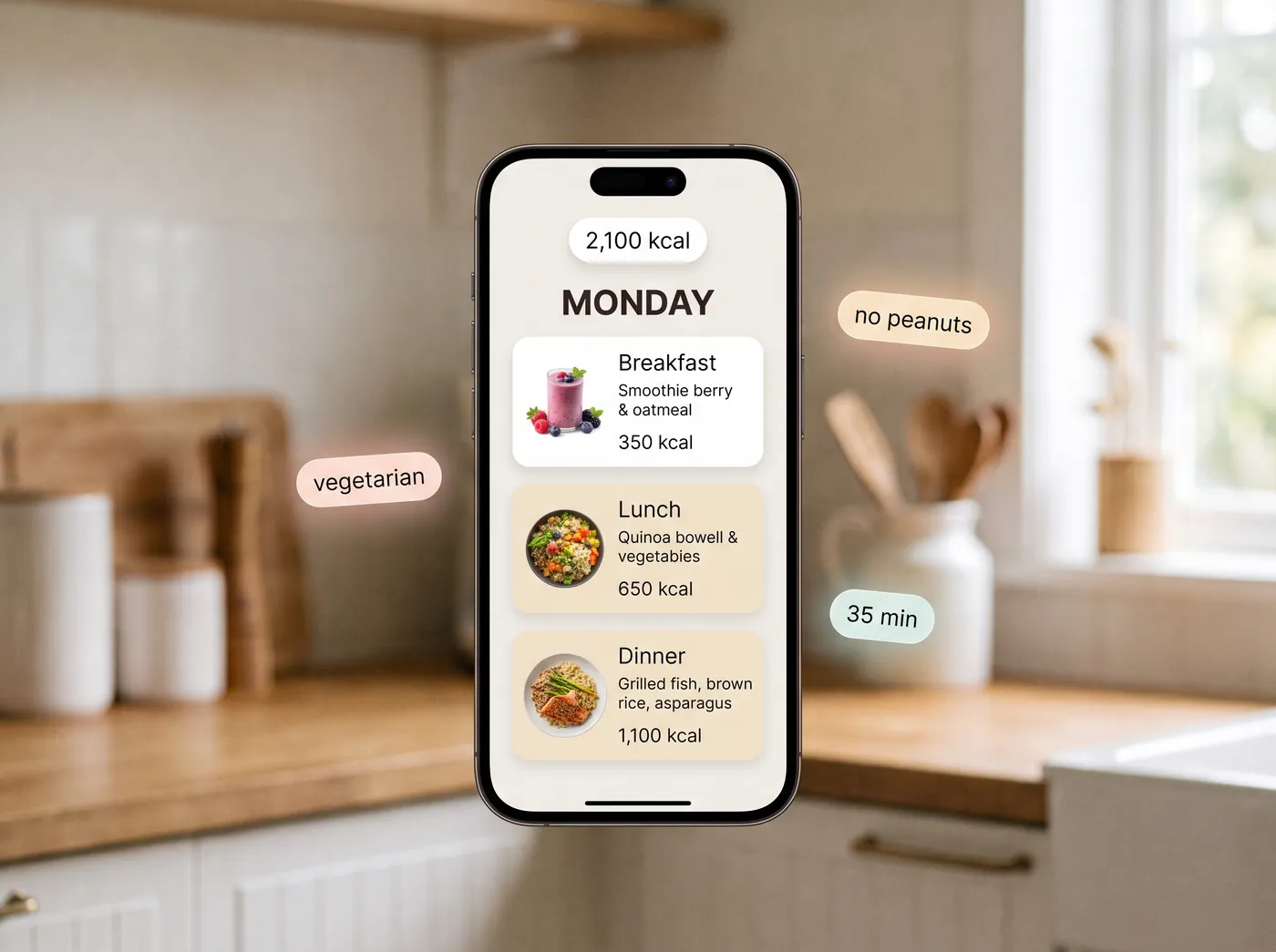
A meal planner that people keep using does four things. It sets an honest calorie target, fills a week with real recipes that respect that target, lets the user reject a meal without wrecking the plan, and produces a shopping list they can walk into a store with. That is four API calls, and this guide writes all four.
On this page
What users expect, and what they abandon
Meal planners get deleted for predictable reasons. Worth knowing them before you write any code.
- Repetition. Chicken and rice five nights running is the fastest way to lose a user.
- Recipes nobody would cook. If a plan reads like a spreadsheet of macros, it does not feel like dinner.
- A shopping list that cannot be shopped. Three separate entries for onion, in grams, ordered randomly.
- No exit. One meal the user dislikes, and no way to change it without regenerating the week.
- Silence on allergies. A single peanut in week one and that user is gone for good.
All five are data problems dressed up as design problems.
Step 1, set the target
Ask for the minimum: age, weight, height, sex, activity level, goal. Convert that into a calorie target and a macro split before you touch recipes.
curl -X POST https://api.foodashi.com/api/nutrition/daily-needs \
  -H "X-Api-Key: $FOODASHI_KEY" \
  -H "Content-Type: application/json" \
  -d '{
    "age": 34,
    "weight_lb": 172,
    "height_in": 70,
    "sex": "male",
    "activity_level": "moderate",
    "goal": "lose"
  }'
You get back a BMR, a TDEE, a target, and a macro breakdown. Imperial or metric, either works, which matters more than it sounds: asking an American user for kilograms is a drop off point.
Store the target, not the inputs alone. Users change their weight weekly and you want the plan to be reproducible.
Step 2, generate the week
Now the part that does the work. Pass the target into the generator along with the constraints, and let it solve across the day rather than per meal.
const res = await fetch('https://api.foodashi.com/api/meal-plan/generate', {
  method: 'POST',
  headers: { 'X-Api-Key': process.env.FOODASHI_KEY, 'Content-Type': 'application/json' },
  body: JSON.stringify({
    days: 7,
    goal: 'lose_weight',              // the planner's goals: lose_weight, maintain, gain_weight, build_muscle
    calories_per_day: 2100,
    meals_per_day: ['breakfast', 'lunch', 'dinner'],
    include_snacks: false,
    servings: 2,
    dietary_restrictions: ['Vegetarian'],
    allergen_exclusions: ['Peanuts', 'Tree Nuts'],
    cuisine_preferences: ['Mexican', 'Italian', 'Thai'],
    max_prep_time_minutes: 35,
    difficulty: 'Easy'
  })
});
const payload = await res.json();
if (!res.ok || !payload.success) throw new Error(payload.error || 'Meal plan generation failed');
const plan = payload.data.plan;       // { days: [...], settings: {...} }; payload.data.summary has the totals
The goal names differ between the two calls on purpose: daily needs takes lose, maintain or gain, the planner takes lose_weight, maintain, gain_weight or build_muscle.
Two fields in there earn their keep. cuisine_preferences is what breaks the chicken and rice loop, because variety comes from cooking traditions rather than from randomising ingredients. And max_prep_time_minutes is the difference between a plan for a weekend and a plan for a Tuesday.
Note that dietary_restrictions and allergen_exclusions are separate. One is a preference, the other is a hard boundary. Keep them separate in your own schema too.
If you already have a set of house recipes you want to feature, pass exclude_recipe_ids to stop the generator repeating what you have shown this user in previous weeks. Cheap novelty.
Step 3, let them swap a meal
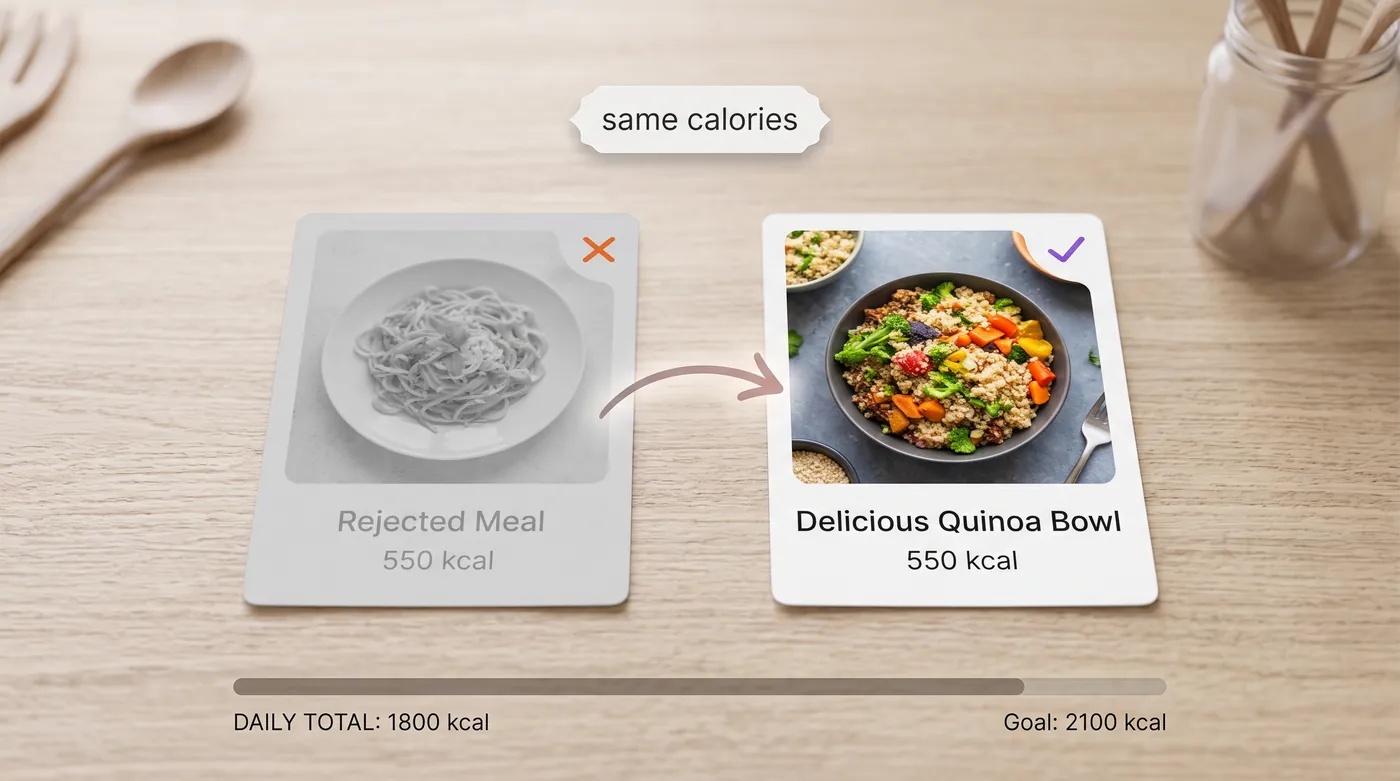
Every planner needs a reject button. Two ways to build it.
The direct one is the customise endpoint, which takes the existing plan and one change, and returns the whole plan with that day recalculated rather than a hole.
POST /api/meal-plan/customize
{
  "plan": { ...payload.data.plan from the generate call... },
  "action": "regenerate_meal",
  "day_index": 3,
  "meal_index": 2,
  "reason": "something lighter"
}
day_index and meal_index count from zero within the plan, so this is the third meal of the fourth day. action is regenerate_meal, regenerate_day, or swap with a swap_recipe_id you picked yourself (no AI call). The answer carries the new plan in payload.data.updated_plan; keep that one, not the old copy.
The cheaper one, if you want to stay deterministic, is to look up alternatives with similar calories and swap client side.
GET /api/similar?id=RECIPE_ID&limit=5
GET /api/recipes/filter?diet=Vegetarian&exclude_allergens=Peanuts,Tree%20Nuts
    &min_calories=450&max_calories=650&max_time_minutes=35&sort=nutrimetric&limit=10
The filter endpoint is the workhorse of the whole app. It takes cuisine, diet, exclusions, nutrient ranges, time ceilings, difficulty and a sort, so most of your screens are one query with different parameters.
Step 4, turn the plan into a shopping list
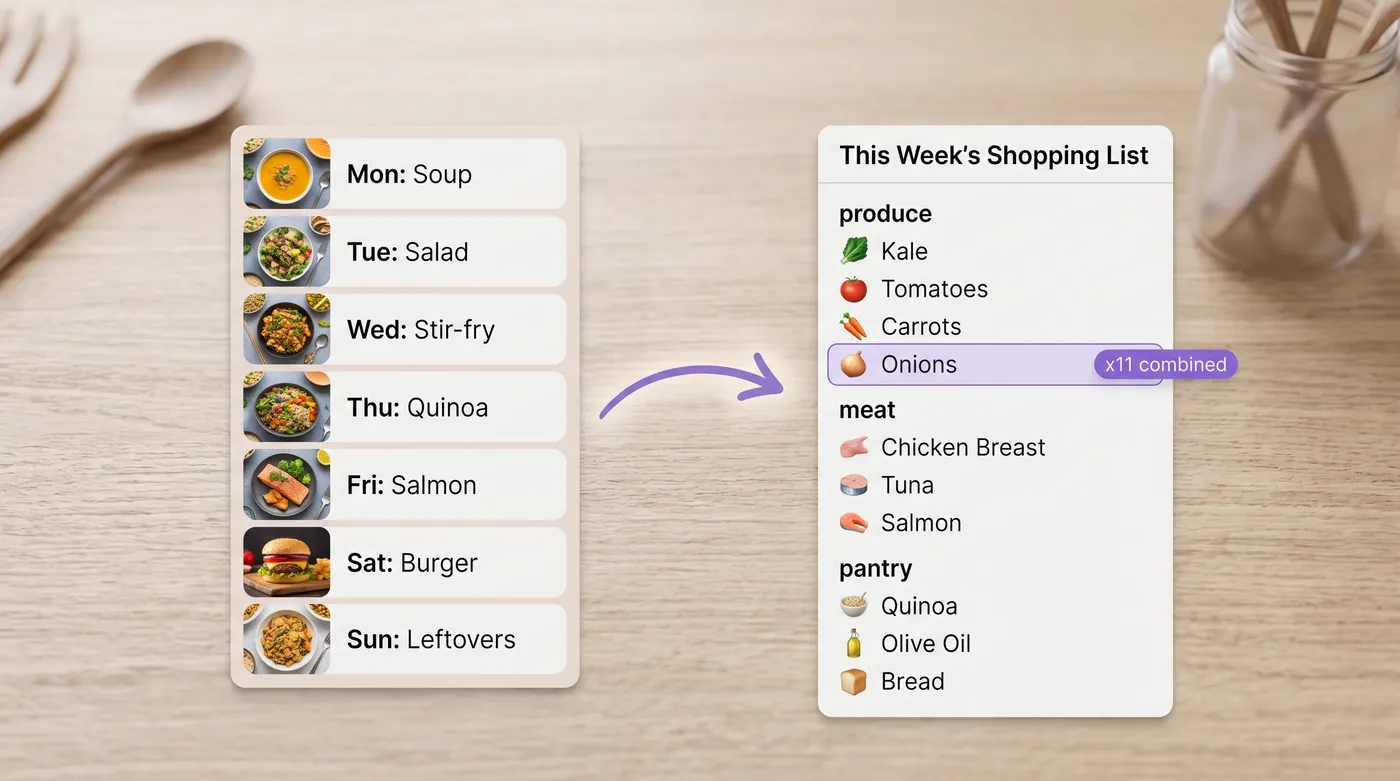
This is where a planner earns loyalty, and where most of them are weakest. Seven days of recipes contain the same onion eleven times, in cups, grams and whole units.
POST /api/shopping-list/from-meal-plan
{
  "meal_plan": { ...payload.data.plan, or data.updated_plan after a customise... },
  "unit_system": "imperial"
}
Hand over the plan object itself (the one with days), not the whole generate response: the list is built from each day's meals[].recipe_id.
Ask for the unit system your user shops in. A list that says 1.4 kg of chicken thighs to someone in Texas is a list they will rewrite by hand, and a planner that makes people do arithmetic in a supermarket aisle does not get opened twice.
If you want the list tidied into a shopping order, there is an optimise call for that as well. Worth it for a weekly list, unnecessary for a single recipe.
Step 5, cook for four, track for one
Households are the case that breaks naive planners. Someone cooks for a family of four and tracks calories for themselves.
Generate the plan at household servings so the shopping list matches reality, then show nutrition per serving. When the numbers need to move between the two, scale the recipe rather than multiplying it yourself.
GET /api/recipes/{id}/scale?servings=4It returns the ingredient quantities at the new serving count along with the ratio, so your interface can show the scaled list without recomputing anything.
How to store it
Three rules that will save you a migration.
- Store recipe ids, not recipes. Keep the plan, the target, and the user's swaps. Fetch the recipe when it is displayed, and cache for a day or so.
- Store the target that produced the plan. When a user asks why last month looked different, you want the answer in your own data.
- Keep preferences and restrictions in separate columns. Merging them is the bug that eventually serves fish to a vegetarian.
For the display itself, one bulk call keeps your page fast.
GET /api/bulk-lookup?ids=ID1,ID2,ID3,ID4,ID5,ID6,ID7Shipping checklist
| Before launch | Why it matters |
|---|---|
| Allergen exclusions tested with a real profile | The one failure users do not forgive |
| Imperial and metric both correct in the shopping list | Most abandonment happens in the aisle |
| A swap path on every meal card | One disliked dish should not cost you the week |
| Prep time ceiling per weekday | Weeknight plans and weekend plans are different products |
| Recipes fetched by id, cached, never copied | Stale text and licence trouble |
| Per serving nutrition shown, household servings shopped | The family case |
| An empty state when constraints are impossible | Vegan, no soy, no gluten, under 20 minutes, 1,200 calories |
That last row is worth designing deliberately. When a user's filters leave nothing, say which constraint is doing the damage and offer to relax it. Silence reads as a broken app.
Questions developers ask
What API calls does a meal planning app need?
Four: a daily needs call for the target, a meal plan call for the week, a swap path for rejected meals, and a shopping list call. A filter endpoint covers the browsing screens around them.
How do I stop plans repeating the same dishes?
Give the generator cuisine preferences and pass the recipe ids you have already shown that user. Variety comes from breadth of cooking traditions, not from shuffling a small pool.
Can I generate plans for a whole user base in advance?
You can, and for a large base it is cheaper than generating on demand. Generate overnight per cohort, store the plan, and use swaps for personalisation during the day.
How do I show progress against the target?
Compare the plan's per day totals against the target you stored. For food logged outside the plan, see how to add calorie tracking.
What about users with several restrictions at once?
Pass them all, then handle the empty result honestly. Diet plus two allergens plus a time ceiling plus a calorie band is a small search space, and a planner that quietly drops a constraint to find results is worse than one that says so.
Where to go next
The API documentation lists every parameter on the filter and meal plan endpoints, and the Test Kitchen lets you try the calls above without writing any code. If your app also needs food logging, read how to add calorie tracking to your app, and for diet and allergy screens read how to filter recipes for diets and allergies.
